
4 apps to get clients to pay their bills (so you can pay yours)
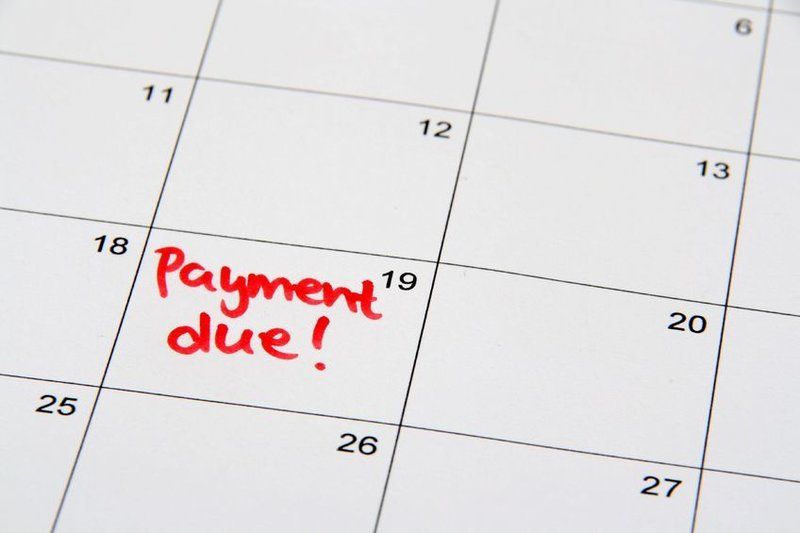
Debtors and late-payers—the bane of every business owner.
No matter how profitable your business is, it won’t survive without good cash flow. If you can’t pay your bills on time, you may end up trading while insolvent. And that’s not just bad business—that’s illegal.
But to do that, you need your clients to pay their bills on time. And that’s something you can’t always rely on. Sometimes they forget. Sometimes they don’t have the money. And sometimes they just decide they don’t want to.
Unfortunately, you don’t get out of paying your bills simply because they haven’t paid theirs. So you have no choice but to:
a)
find out which clients are behind with their payments
b)
contact those clients and ask them to send through their payment.
Depending on how many clients you need to contact, that could take a while. And that’s assuming they pay up the first time you ask. What if you have to remind them several times? It can add up to a lot of time—time you’d be far better off spending on your business.
Fortunately, you can now use software to automate the entire process. Once you link it to your accounting system it will automatically search for any late-paying customers and send them a personalised reminder about their overdue payment.
Here are some of the apps currently available:
Chaser
Chaser sends your debtors reminder emails that look like personal emails from you. Merge fields in your email templates bring in information such as the customer name, invoice number and amount.
You can create differently worded templates for use with different customers so that the wording is appropriate for each relationship. You could choose to have formal wording with some customers, and more informal wording for those customers you have a closer relationship with.
You can select which days of the week to send out your debtor reminder emails and if a customer has more than one outstanding invoice, the system is smart enough to include mention of each invoice in the one email, rather than send one email per invoice.
Another time-saving feature is that Chaser will attach a PDF copy of the invoice(s) to the reminder email. That saves you time and speeds up payments because your customers don’t have to go searching for invoices.
Chaser also makes it easy to see the ‘chasing conversation’—the history of payment reminder emails—without you having to search through your inbox to work out what happened with a particular invoice. All invoice and payment-related information is displayed on the one screen.
Chaser
works with Xero accounting software.
Debtor Daddy
Debtor Daddy lets you set up a series of reminder emails to automatically send to customers both before and after the due date.
You can base your reminders on a number of different (debt) “collector” personas (“Audrey adds humour to her reminders”, “Harry is no frills, no nonsense, straight up and down”, etc.), and then tailor the wording of the emails used by each collector. You can then assign different collectors to different customers which not only customises the wording of the emails, but also the number and timing of reminder emails.
Debtor Daddy makes it easy to filter your outstanding invoices on how overdue they are, and from the Hit List view you can action further communication, change Collectors, see what reminders have gone out and what’s due to go out tomorrow, this week and so on.
Debtor Daddy works with Xero, MYOB and QuickBooks.
ezyCollect
If you’d like to send emails and SMS reminders to late-paying customers, then check out ezyCollect. It also lets you set up postal and telephone reminders, send a pre-approved legal letter and escalate the debt to a collection agency. You can even perform credit checks.
It includes a schedule (and adds the phone calls you need to make to customers), graphs and reports to see how much debt you’ve managed to recover.
ezyCollect works with Xero and MYOB.
Late Fee Manager
If your Terms and Conditions include fees or interest charges for late payment, Late Fee Manager might be just what you need. As well as sending reminders to late-paying customers, it will calculate and automatically apply to the original invoice any late fees or interest charges.
Late Fee Manager
works with Xero and QuickBooks.
This is by no means a complete list of what’s available. There are plenty of others, including Web Ninja Collect, InvoiceSherpa, xocashflow and Debtze. And they all offer a free trial, so you can try them all and decide which one will work best for your business.
To save you time in this process, we can advise you on which debtor management app is likely to be the best fit for your business based on the accounting app you are already using, or are considering switching to. Get in touch with us and we’ll make a time to sit down with you to run through your best options in this area.
You can’t afford to have late-paying customers putting your business’ cash flow at risk. And now, thanks to these software packages, you won’t need to.
Need help with your accounting?

When you're looking for ways to save money, it's easy to focus on the big expenses. But sometimes the easiest savings are sitting in the things you pay for every month without really thinking about them. Subscriptions, unused services and small recurring expenses can quietly add up over time. Here are five simple things worth checking. 1. Audit Your Subscriptions Start by looking at all the subscriptions you're currently paying for. Go through your Apple App Store or Google Play Store accounts and check what you're being charged for each month. You may find subscriptions you've forgotten about, apps you no longer use or services that are automatically renewing. Even a few dollars here and there can add up to a significant annual expense. 2. Cancel Services You Don't Use If you've paid for a service that you haven't used in the past month, ask yourself whether you really need it. Unused streaming services, apps, memberships and other recurring payments can continue taking money from your account long after you've stopped using them. Cancelling an unnecessary subscription is one of the easiest ways to stop the leakage. 3. Negotiate Better Deals If you've been with the same provider for a long time, don't assume you're already getting the best deal. It may be worth contacting your provider and asking whether there is a better plan or rate available. This could apply to a range of services where you're a long-term customer. A few minutes spent asking the question could result in ongoing savings. 4. Set Reminders for Renewals Free trials and annual subscriptions can be easy to forget about. Set a reminder for when a free trial ends or when a subscription is due to renew. That gives you the opportunity to decide whether you still want the service before you're charged again. Your calendar or phone can prompt you. 5. Track Your Spending Small expenses are easy to overlook when they're spread across multiple accounts and services. Using a budgeting app or regularly reviewing your transactions can help identify areas where you're spending more than you realise. You may discover recurring payments or habits that no longer represent good value. Small Changes Can Add Up Saving money doesn't always require a major lifestyle change. Sometimes it's simply about paying attention to where your money is going and cutting expenses you no longer need. The article provided makes the same point: regularly reviewing subscriptions and cutting back on unnecessary expenses can help build a stronger financial foundation. saving costs things to look at At Ascent Accountants, we can help you look at the bigger picture of your finances and identify opportunities to make your money work harder for you.

Finding a caveat on a property you're looking to buy can be an unwelcome surprise. A caveat can prevent certain dealings with a property from being registered, which can delay a sale or prevent a purchaser from settling until the issue has been dealt with. It can also create problems with finance because lenders generally require clear title. First, What Is a Caveat? A caveat is a legal notice recorded against a property. Importantly, a caveat may only be lodged by a person or entity with a legal or equitable proprietary interest in the land. It effectively acts as a statutory injunction, preventing the Registrar of Titles from registering certain dealings with the property, such as transfers, mortgages or leases, unless the caveat is withdrawn, removed by court order or otherwise lapses. caveat on properties Why Might a Caveat Be Lodged? There are several reasons why a caveat may be placed on a property. These can include securing a debt owed by the borrower, protecting a buyer's equitable interest in land under a contract of sale, or protecting an unregistered or equitable mortgage. A caveat can therefore indicate that another party has an interest in the property that needs to be resolved. How Can a Caveat Affect a Property Purchase? If you're buying a property with a caveat on the title, it can complicate the transaction. For example, the sale may be delayed or prevented from proceeding until the caveat has been dealt with. It can also affect finance. Lenders generally require clear title, so an unresolved caveat may make it difficult to obtain or finalise finance. What Should You Look Out For? If a caveat appears on a property, you're considering buying, don't simply assume it will disappear before settlement. Find out: Why the caveat has been lodged. Who has lodged it. What interest the caveator is claiming. Whether the caveat needs to be withdrawn or formally removed. Whether it could affect your ability to settle or obtain finance. The type of caveat matters too. The source material identifies different types, including absolute caveats, subject-to-claim caveats, caveats lodged after notice, improper dealing with caveats and registered proprietor's caveats. caveat on properties How Is a Caveat Removed? There are several possible ways of dealing with a caveat, depending on the circumstances. These can include withdrawal by the caveator, statutory removal or court resolution. A withdrawal generally needs to be signed by the caveator and lodged electronically where required. There is also a process for applying for removal under section 138B of the Transfer of Land Act 1893. caveat on properties The caveator has 21 days after being served with the relevant notice to act, although the Supreme Court may order an extension in some circumstances. Don't Let a Caveat Catch You by Surprise If you're buying or selling property, understanding what is recorded on the title is an important part of the process. An unexpected caveat doesn't necessarily mean a property deal can't proceed, but it does mean there is an issue that needs to be understood and dealt with. At Ascent Property Co, we can help you understand the financial implications of a property transaction and work alongside your legal advisers to help you make informed decisions.

Are you using the logbook method to claim car expenses? The ATO has been increasing its audit focus on car expense claims, with particular attention being paid to both whether logbooks meet the requirements, and if the business-use percentage has been calculated correctly. Here are eight common areas that could cause potential issues with your claim. 1. Keeping a logbook in the wrong income year A valid logbook must be kept in the first income year in which you use the logbook method to claim car expenses. After that, a new logbook is generally required every five years. If you're not sure whether your current logbook is still valid, it's worth checking before relying on it for your tax return. 2. Not keeping the logbook for the full 12 weeks A valid logbook needs to cover a continuous period of at least 12 weeks. The 12-week period can cross from one income year into another, provided it includes part of the relevant income year. 3. Choosing your busiest 12 weeks It can be tempting to choose a 12-week period when you were doing more business driving than usual. But the business-use percentage from a 12-week logbook isn't automatically the percentage you can apply for the entire year. Your calculation needs to consider variations in how the car was used throughout the year. 4. Forgetting about a replacement car If you replace your car during the income year, you can't simply transfer your existing logbook to the new vehicle due to changes in usage. If you want to rely on the existing logbook for the replacement car, there are nomination requirements that need to be met. Otherwise, a new logbook may be required. 5. Writing vague descriptions of business trips The details matter. A logbook needs to record the relevant details of each business journey, including the dates, odometer readings, kilometres travelled and the purpose of the journey. Entries such as "business trip", "client visit" or "customer visit" may not be enough . The description should explain why the journey was made. 6. Reconstructing your logbook later Your logbook should be kept as you make the journeys, or as soon as possible afterwards. Inconsistent entries, duplicated dates, identical odometer readings or records that don't line up with other information can raise questions about whether the logbook was reconstructed from memory. 7. Getting business and private kilometres wrong Your business-use percentage needs to be based on a reasonable estimate of your business kilometres for the year. That means considering changes in your work, holidays, leave, changes in employment duties, changes in your work location and other variations in how the vehicle was used. 8. Forgetting your odometer records and receipts A logbook is only part of the record-keeping requirements. You also need odometer records for the relevant period, and car expenses such as registration, insurance and servicing generally need to be supported by appropriate records. What Should You Do? If you use the logbook method, don't assume that having a 12-week logbook automatically makes your claim correct and compliant. The ATO's increased scrutiny means it's important to make sure your logbook is valid, your entries are accurate and your business-use percentage reflects how the vehicle was used throughout the year. At Ascent Accountants, we can help you review your car expense records and make sure your logbook and business-use calculation meet the requirements before you claim.

In your 50s and thinking about retirement? Discover 10 practical strategies to boost your super and get your retirement savings on track.

Buying your first home? From deposit schemes to stamp duty concessions, here are 5 government schemes that could help you get into the market sooner.

A new way to claim work-related expenses is coming for the 2027 tax return — but there is an important catch. From 1 July 2026, eligible taxpayers can claim a standard deduction of up to $1,000 for certain work-related expenses, without having to substantiate each expense individually. Sounds simple enough. But before you assume you can claim $1,000 on top of everything else, there are a few things you need to know. The $1,000 Is the Maximum The new standard deduction is capped at $1,000. It is designed to cover certain common work-related expenses, such as work-related phone and internet, home office expenses, stationery and some travel expenses. You can't claim the $1,000 and then claim those same expenses again separately. If you have actual work-related expenses of more than $1,000, you can continue to claim your actual expenses under the existing rules, provided you meet the requirements and have the records to support them. Do I Still Need to Keep My Receipts? Yes: and this is where it is worth being organised. If you use the standard deduction, you don't need to substantiate the individual expenses covered by it. But if you think your actual work-related expenses could be more than $1,000, keeping your receipts and records throughout the year will allow you to claim your actual expenses instead. There are also some deductions that aren't covered by the standard deduction and can still be claimed separately if you are eligible. It's for Your 2027 Tax Return The new deduction applies from the 2026–27 financial year, so you won't use it for the tax return you are preparing now. It will first apply to your 2027 tax return, lodged from July 2027. Is the $1,000 a $1,000 Tax Refund? No. The $1,000 is a deduction from your taxable income. It doesn't mean you'll receive an extra $1,000 back from the ATO. The value of the deduction will depend on your individual tax circumstances. What Should You Do Now? The best thing you can do is keep track of your work-related expenses throughout the 2026–27 financial year. When it comes time to prepare your 2027 tax return, we can look at your circumstances and determine whether the standard deduction or claiming your actual expenses is likely to give you the better outcome. At Ascent Accountants, we can help you make sense of the new rules and make sure you're claiming the deductions you're entitled to: without claiming the same expense twice!